Dear Cardholder,
Congratulations! On behalf of Pune District Central Co-operative Bank Ltd, we are delighted to welcome you to our ATM services, bringing the convenience of modern banking directly to your hands.
In collaboration with the National Payments Corporation of India (NPCI), Pune District Central Co-operative Bank has launched the RuPay Debit Card. You can now enjoy secure, 24x7 banking access anytime, anywhere, alongside a seamless shopping experience.
Detailed instructions regarding your card are available in the User Guide and Terms & Conditions Document. Please note that your first transaction at either a PDCC Bank ATM or any other bank's ATM constitutes your formal acceptance of these terms and conditions.
We value your trust and look forward to a long and mutually rewarding relationship.
Rupay Debit Card User Guide
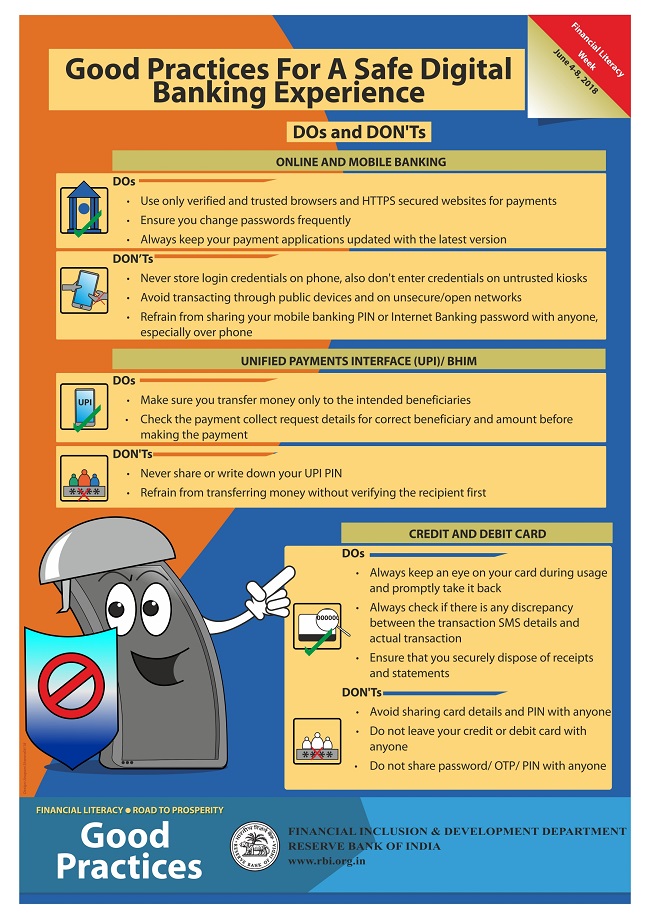
Guidelines/ Safety Tips:
- Read the User Guide and instructions given in PIN Mailer carefully.
- Sign on the signature panel given on the back of the card as soon as you receive it to prevent misuse.
- Enter your PIN, memorize it and destroy the Pin Mailer after your very first transaction at own bank ATM.
- Keep your PIN secret and do not disclose it to anybody, including a family member or your banker.
- Avoid taking help from strangers in the ATM room.
- Never let anyone see you enter your PIN.
- Never write your PIN on your card.
Taking Care of your Rupay Debit Card:
- Keep your card safely.
- Do not keep your card unattended.
- The reverse of your card has a magnetic stripe, which should not be exposed to sunlight, electronic devices (T.V.) and gadgets.
- Do not scratch the magnetic stripe of your card.
- Do not keep two ATM cards together with their magnetic stripes facing each other.
- Do not bend your card.
Do You Know?
- You can make cash withdrawal within few seconds from various ATMs across India and at any time.
- You can print mini statement of the last few transactions of your account through ATM.
- You can check your account balance on ATM.
- You can shop at various Merchant Establishments displaying RuPay logo.
Cash withdrawals at ATM:
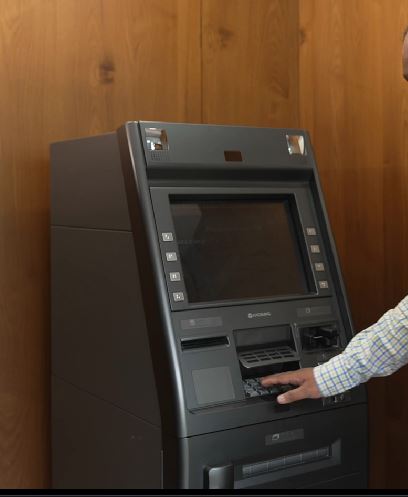
Step 1: Insert your card and pull it back into the slot provided.
Step 2: The ATM will prompt you to select your preferred language.
Step 3: Next, the ATM will prompt you to enter your PIN.
Step 4: If you're PIN is correct, you will be provided with the list of transaction options, viz. Fast Cash, Cash withdrawal, Balance Enquiry, Mini Statement, and Change PIN. Select the desired transaction and follow the instructions.
Step 5: In case of Cash Withdrawal your account with your Bank will be debited online with the amount of withdrawal.
Step 6: If you have no further transactions, collect your card.
Step 1: Look for Rupay Logo in Merchant Establishments. The card is accepted at all MEs in India which display the Rupay Logo and have POS Terminal.
Step 2: Complete your purchase and then present your card for making payments for purchase make/services availed.
Step 3: The merchant will swipe the card at the POS Terminal and purchase amount will be entered.
Step 4: You will be presented with the PIN pad. Enter the same PIN which you use at an ATM to withdraw money.
Step 5: The POS Terminal will process your transaction by debiting your account with your Bank with the purchase amount(subject to availability of funds in your account) and print a charge slip.
Step 6: Check the correctness of the amount and other details on the charge slip and sign the charge slip. Your signature must match with that on the card.
Step 7: The transaction is complete. Ensure that the card is returned to you along with the copy of the Charge slip. Preserve the charge slip for your future reference as the bank will not furnish Copies of the Charge Slip.
E-commerce/Online transaction:
For e-commerce/online transactions use card no., expiry date, CVV no. and get OTP on register Mobile No.
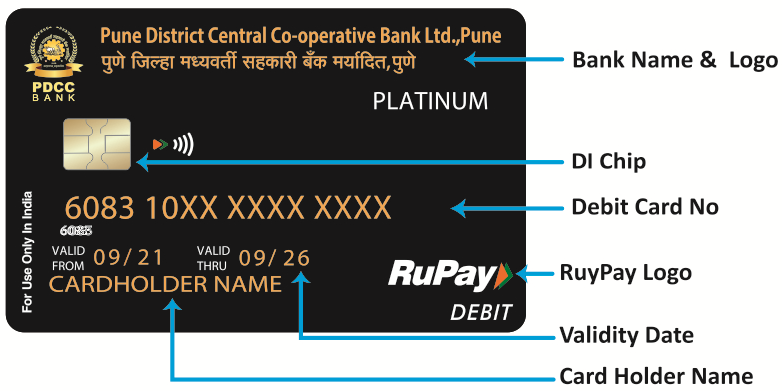
FRONT
1. Card Number: This is your unique 16 digit card number. Please quote this number in all your correspondences / communications with the Bank.
2. Your Name: Only you are authorized to use your card. Please check to see that you’re Card has been correctly indent printed. If not, Contact your branch at earliest.
3. Validity: The card is valid until the last day of the month of the year indicated on the card.
4. Rupay Logo: Any merchant establishment and ATM displaying Rupay logo should accept your Card in India.
5. DI Chip: DI Chip stores Values of the card. Do not scratch the chip.
6. Wifi Symbol: Contactless Card with "Tab & Go" Contactless Feature.
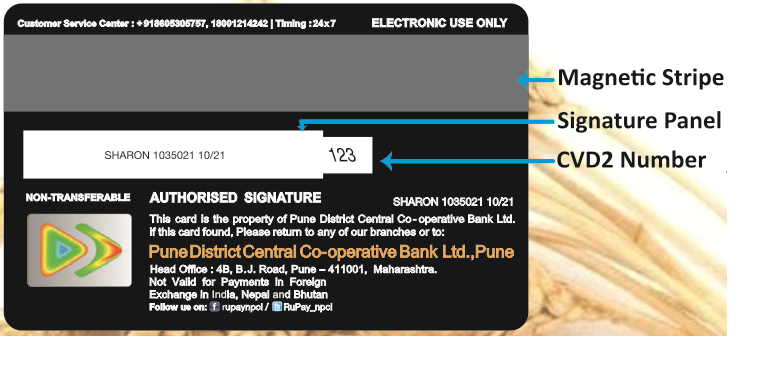
BACK
1. Magnetic Stripe: Important information pertaining to your Card is encoded here. Protect your card from scratching or exposure to magnets or magnetic fields as it can damage the magnetic stripe.
2. Signature Panel : Sign on the signature panel with non-erasable ball point pen(preferably black) on receipt of your card.
3. Card Verification Data 2(CVD2): The CVD2 number that provides a cryptographic check of the information embossed on the card that help us validate you, the legitimate cardholder of the card, who is making online purchase.
Immediate Payment Service is an interbank electronic instant mobile money transfer service through mobile phones. Our IMPS service helps you access your Bank Account and transfer funds instantly. The beneficiary account is credited immediately when a Fund Transfer request is made through your Mobile phone is an interbank electronic instant mobile money transfer service through mobile phones. Our IMPS service helps you access your Bank Account and transfer funds instantly. The beneficiary account is credited immediately when a Fund Transfer request is made through your Mobile phone ccount and transfer funds instantly.
| Number Of Branches | 17 |
| Number Of ATM | 17 |
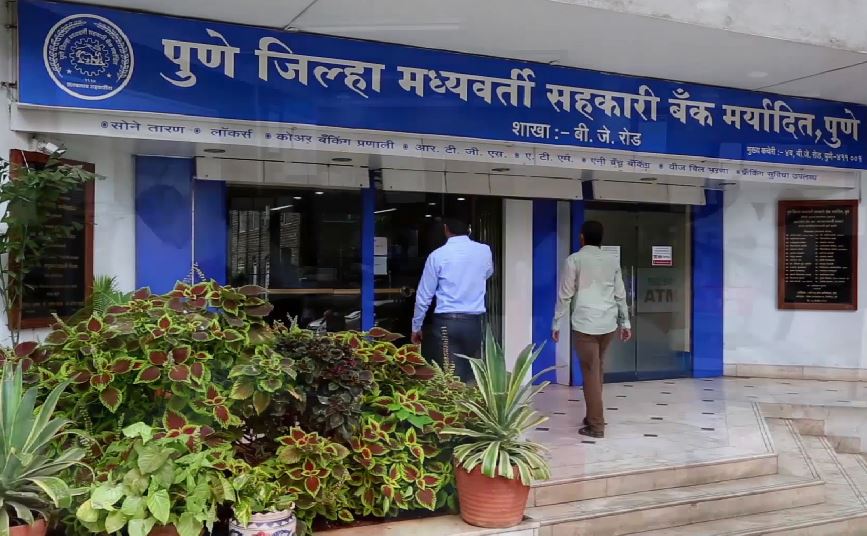
| Branch Name | Branch Code | Branch Address | Current Location | Contact Number |
|---|
| ATM Name | ATM Address |
|---|
So instead of keeping that gold jewellery, coins, bars or biscuits lying ideal in your locker, you surely could use them to meet those cash contingencies.